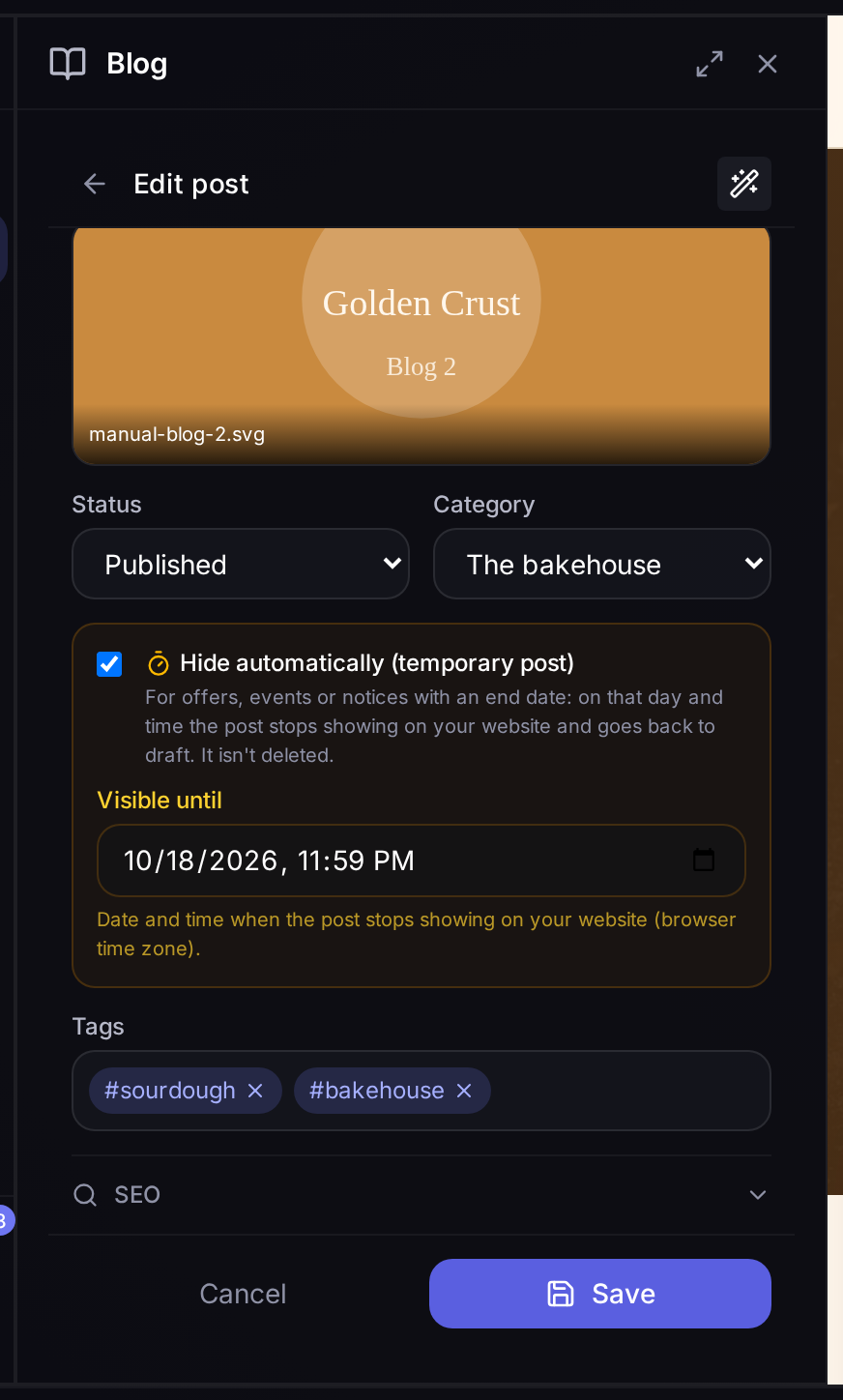
An offer no longer stays on your website once it's over
The sale that ends on Sunday, special bank holiday opening hours or Saturday's event used to stay on your blog until someone remembered to take them down. Now they take themselves down.
You say how long it stays visible
When you write or edit a post, tick Hide automatically and pick the day and time in Visible until. At that time the post stops showing on your website —in the blog listing, at its own address and in the sitemap— and goes back to draft. It isn't deleted: if you want it again, just publish it again.
In the blog listing every temporary post carries its label: "Until …" while it's visible and "Hidden on …" once it has been taken down.
The AI sets the date for you
If you ask for a post with an end date, when generating it with AI or asking the editor ("publish a post about the autumn sale, until Sunday"), the AI recognises it and sets the date itself. You'll see it in the post, in case you want to change or remove it.