Most small-business websites tell half the story. There is a Products page with six nice photos, and underneath it a phone number. The real catalog lives somewhere else: a spreadsheet, a PDF that gets emailed around, or the head of whoever is behind the counter. When a price goes up you change it in three places, and the website is always the last one.
If your site is built with Speaksite, that catalog can live inside it. Not as a separate product you buy, not as another tool to learn: as one more tab in the panel you already use, holding your products, your prices and your stock.
A product is a product, not a photo
Every item has a name, a description, a price, a reference and a stock count. That much you would expect. What actually changes your working day is underneath:
- Variants. One product, several ways to sell it. The same item holds the size, the format or the pack, each with its own price and its own stock. You do not duplicate a product six times to sell six sizes.
- Attributes. Sizes, colours, flavours, materials. You define them once on the Attributes screen and reuse them across every product that needs them. Add a new colour and you add it in one place, not across a hundred and twenty items.
- Categories. The families your customer actually browses by. They order the storefront, and they feed the filters in your shop search.
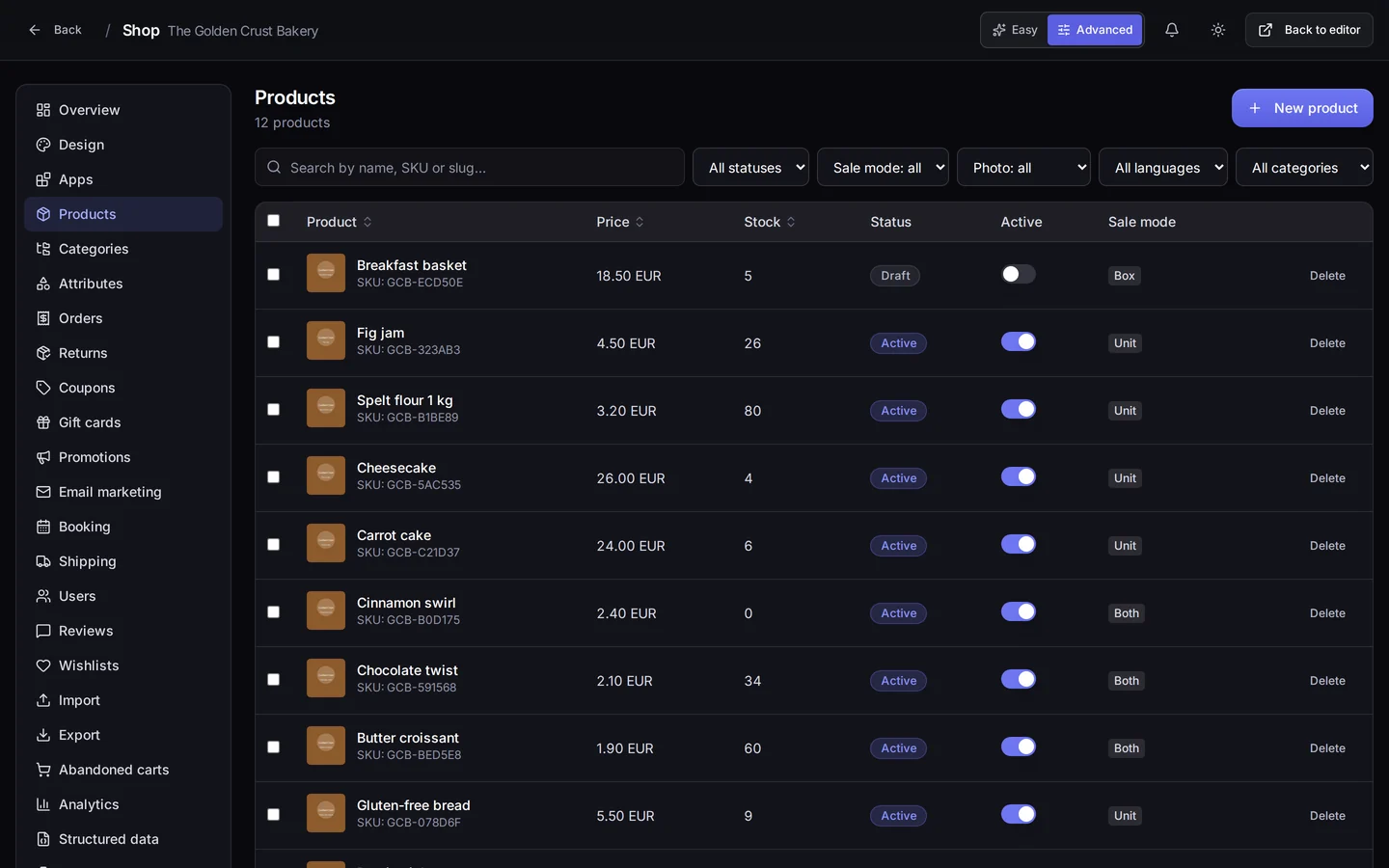
The screen at the top of this page is the panel side of it: the product list of our demo bakery, each row with its price, its stock and whether it is live. That is the list you work from every morning. Your customer never sees it — they see the storefront it feeds.
You do not retype the catalog you already have
This is the part that saves the most hours and the part almost nobody knows is there. If you already sell somewhere else, you are not starting from an empty page:
- From a CSV. Upload the file, say which column is what, and the products land in one go. This is the natural route if your catalog lives in a spreadsheet today, or if your supplier sends you one.
- From WooCommerce. Connect your WordPress shop and Speaksite pulls the catalog across. The import has its own monitoring screen: it is not a button you press and then hope, it is a job you can watch while it runs.
And in the other direction: export. Your catalog downloads whenever you want it, prices and stock included, ready for your accountant, a price comparison site, or whoever asks. The data is yours and it walks out of the front door on your say-so — no permission, no support ticket, no waiting.
What your customers say is part of the catalog too
Product reviews land on the product page, but they do not publish themselves. They arrive on the Reviews screen and you decide: approve, reject, or reply. Answering a middling review politely sells more than deleting it, and both things live on the same screen — the filter and the reply.
And if what you sell is time
Not everyone sells boxes. If your business is appointments — a tasting, a workshop, a table, an hour of advice — the shop has Booking: the resources that can be booked, the diary as a list, and the same diary as a calendar. It is the same catalog, measured in hours instead of units.
Where all of this is in your panel
Open your project and go into Shop. The route is /shop/<your-project>/products, and the menu on the left takes you to Categories, Attributes, Import, Export, Reviews and Booking.
Two practical warnings, because they are the number one reason someone tells us they do not have a feature they do have:
- Advanced mode. Top right there is a switch with two positions, Easy and Advanced. In Easy the shop menu stays down to the essentials: Overview, Design, Apps, Products, Orders and Settings. Categories, Attributes, Import, Export, Reviews and Booking appear when you switch to Advanced. They were always there; they are just not shown until you ask for them.
- Apps. Reviews and Booking are features you switch on and off from the Apps screen. If you cannot find one in the menu, it is almost always because its app is off, not because it does not exist.
What you get out of it
One catalog instead of three. The price you change in the morning is the price your customer sees in the afternoon, without going through anybody. Sizes stop being duplicated products and become variants of a single one, which is what they always were. And on the day you want to leave, your catalog walks out the same door it came in through: one file, complete, no permission needed.
The real gain is simpler than any of that, though. You stop maintaining your website and your catalog as if they were two separate things. They are not.
Where to start today
Open your project, go into Shop, and flip the switch at the top to Advanced. If your catalog is in a spreadsheet, go straight to Import and upload the CSV. If it is not, create three products by hand — the three you sell most — with their price and stock, group them into a category, and then look at your shop. Three products is already a storefront, a search box and a cart.